Boost efficiency
AI identifies and classifies exceptions automatically. Reviewers scroll a ready-made feed instead of scrubbing video, with one keystroke per decision.

Extra bags, overflowing carts, blocked bins and no-bin-outs happen on every route. EYERIDE's AI automatically identifies and classifies them in curb video, applies your pricing rules, and queues each one in Snap Review, a scrollable review feed. Your team swipes clip to clip to approve, adjust or waive. Faster exception handling, more revenue recovered or enforced, and every exception on record.
Trusted by fleets nationwide


Tell us about your routes. A product specialist will walk you through exception handling in Snap Review.
No commitment. Your info stays with EYERIDE.IO.
AI-automated classification & billing
EYERIDE's AI classifies each exception and applies your pricing rules, so the work your crews already do turns into revenue for haulers and documented enforcement for municipalities.
AI identifies and classifies exceptions automatically. Reviewers scroll a ready-made feed instead of scrubbing video, with one keystroke per decision.
Eligible extra service is priced from your rules and auto-billed or sent for approval, then handed to your ERP, so it actually reaches an invoice.
Every violation is documented with video, time and location, and residents can be notified by SMS straight from the event.
The problem
Exceptions are part of every shift. What's missing is a record of them that operations, customer service and billing can all see and act on.
Crews deal with extra bags, overflowing carts and blocked bins. Unless it's documented, nobody downstream knows it happened.
My trash wasn't picked up.
Without video of the stop, customer service can't say whether the bin was out.
Policies and pricing sit in one place, field evidence in another, so additional service never reaches an invoice.
Before your next resident dispute, ask
How it works
One workflow for operations, customer service and billing.
Keep collection policies and service pricing in EYERIDE.
Exceptions are identified automatically and sent to the review feed.
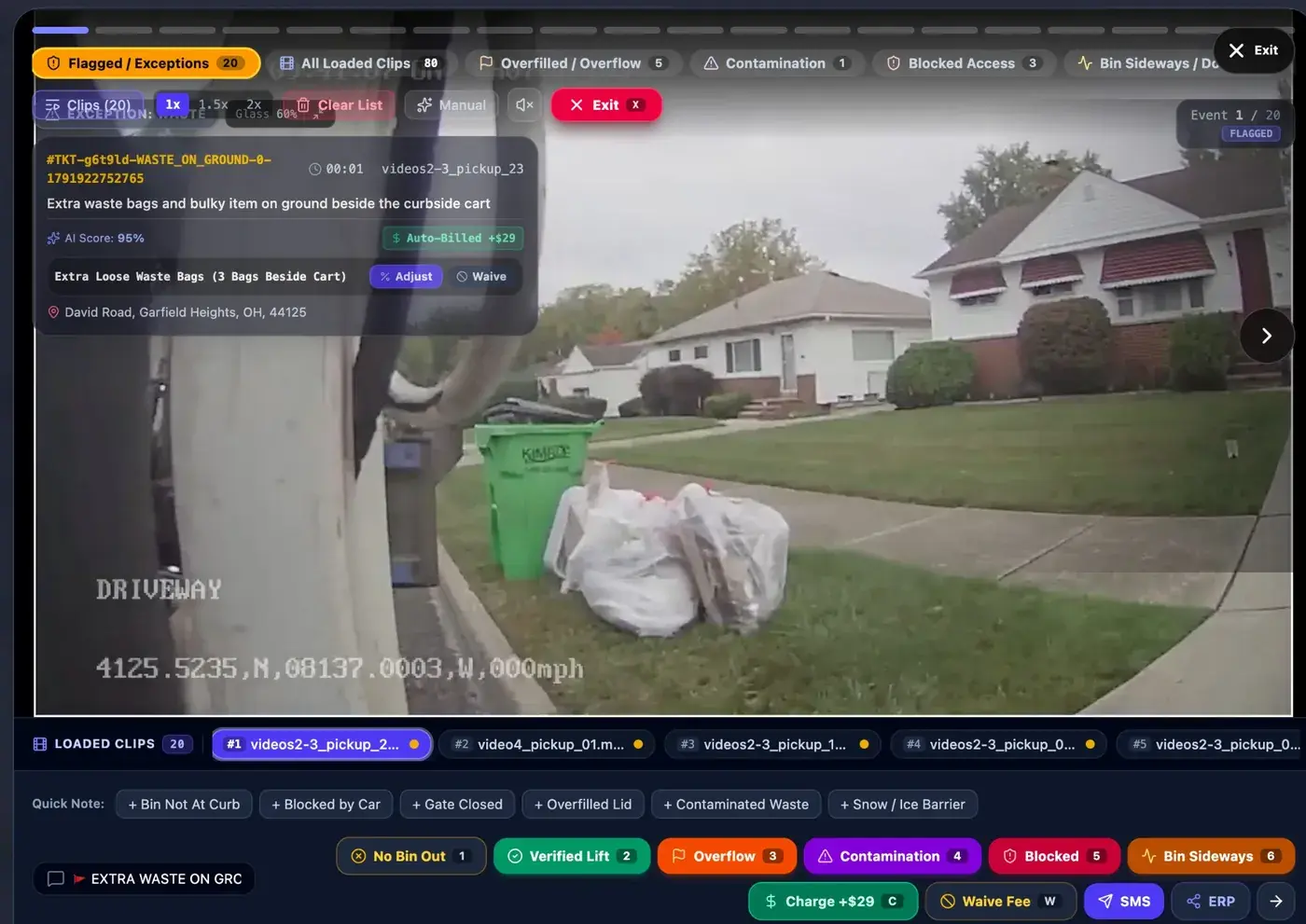
Swipe clip to clip: video, location, time, ticket and AI score.
AI applies your pricing. Charge, adjust or waive, then SMS or hand off to ERP.
Track verified pickup rate, no-bin-outs and flags by route.
Auto-flagged. Feed-reviewed.
Nobody has to scrub hours of route video. EYERIDE's AI scans every stop and automatically identifies likely exceptions, then sends each one to Snap Review: a scrollable carousel your team moves through clip by clip, the way you'd scroll a social feed.
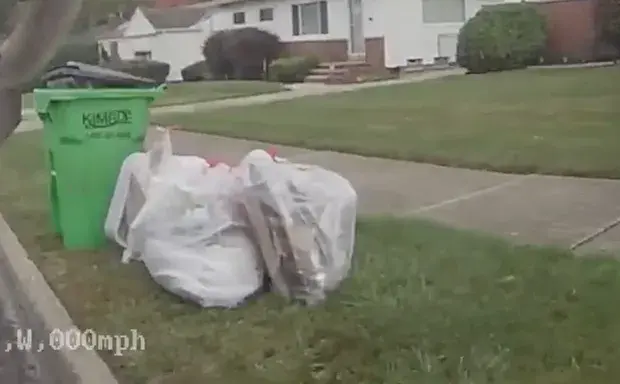 AI 95%Video
Extra waste bags and bulky item on ground beside the curbside cart
David Road, Garfield Heights, OH
 Video
VideoOverfilled recycling cart with large cardboard box preventing lid closure
Norman Drive, Stow, OH
 Video
VideoOverfilled trash cart with unsecured bag on lid
Alexander Road, Garfield Heights, OH
Sample data. Scroll inside the feed.
The AI-flagged feed is already queued. Reviewers scroll clip to clip, with one keystroke per decision.
One keystroke per decision in Snap Review
Add a quick note in one tap: bin not at curb, blocked by car, gate closed, overfilled lid, contaminated waste, snow or ice barrier.
Shift visibility
The shift summary tracks audited routes, verified pickups, no-bin-out events, other flags and the verified pickup rate for the day.

Shift Operations Summary in EYERIDE. Sample data.
Exception records
Each record pairs the clip with ticket, status, AI category, surcharge, description and location.
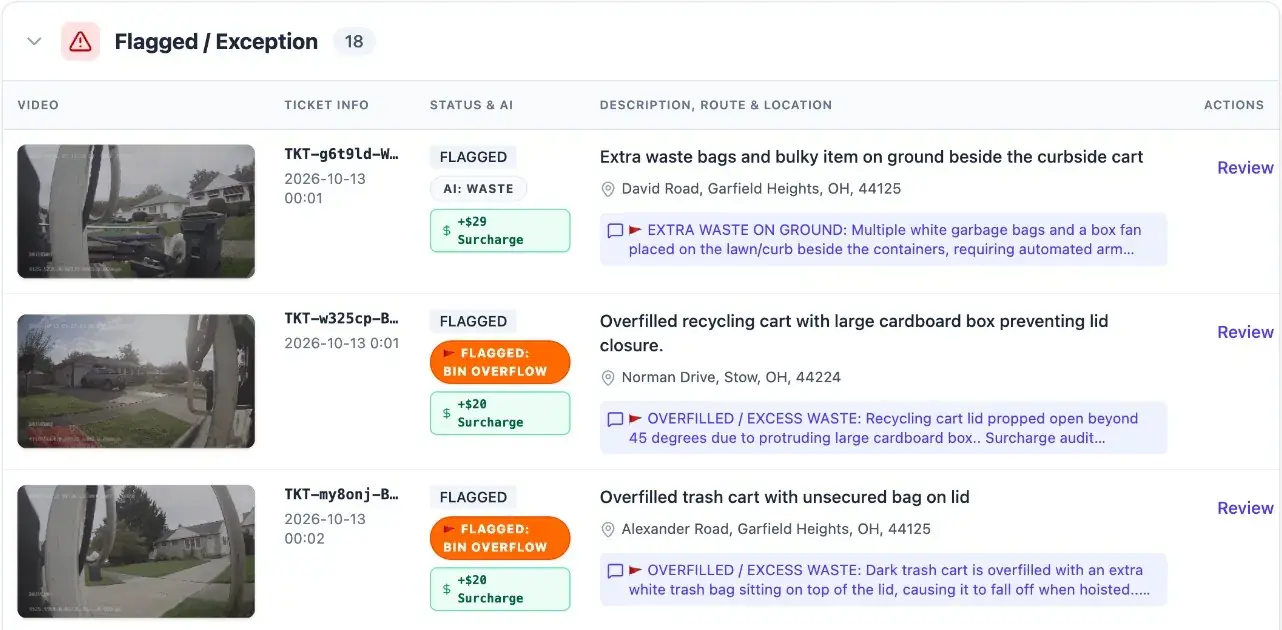
Sample data.
Classify what crews see
One record, three teams
See collection outcomes and the extra handling that might otherwise go unreported.
Answer resident calls with video and coordinate follow-up on each exception.
Manage policies and pricing alongside the evidence, review charges and monitor activity.
EYERIDE's AI automatically reviews curb video, flags likely exceptions with a category and AI score, and sends them to the Snap Review feed. Detection categories are set up with you during deployment, and not every condition is detected automatically, so reviewers confirm each call and can add clips manually.
Only when your rules say so. EYERIDE's AI applies the collection policies and pricing you keep in EYERIDE, and you choose which exceptions auto-bill and which wait for approval. Every surcharge can be adjusted or waived.
Pull the video by address, or by vehicle, camera, date and time, and see whether the bin was out. Customer service can text the resident straight from the event.
Exceptions and charges can hand off through ERP, API and webhooks, or export to CSV. We confirm the fit with you during deployment.
About 30 minutes with a product specialist. We walk through Snap Review, the exception queue, charge and waive controls, and the shift summary, using sample route data.
Book a free 30-minute live demo of exception handling for your routes.
Book your live demo